
Raster-to-Vector Conversion Library
Generates vector data such as lines and arcs from raster images.
This is a fast, feature-rich conversion library for Windows and Linux (test program included).
Most functions are exposed as Python class methods (sample Python GUI application included).
Key functions are available through a Web API (also accessible from smartphones, tablets, ChromeOS, and macOS).
The complete source code, including the library, Python classes, and Web API, is available.
Features
(1) Fast, Versatile Conversion with Adjustable Accuracy
In addition to fast raster-to-vector conversion, you can adjust conversion accuracy to suit your needs, from high-accuracy output with many vertices to compact output with fewer vertices.


(2) Extensive Post-Processing Functions
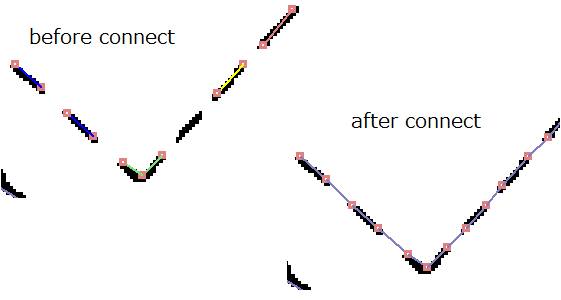
After vectorization, 18 types of post-processing are available, including gap connection, intersection correction, and corner processing.
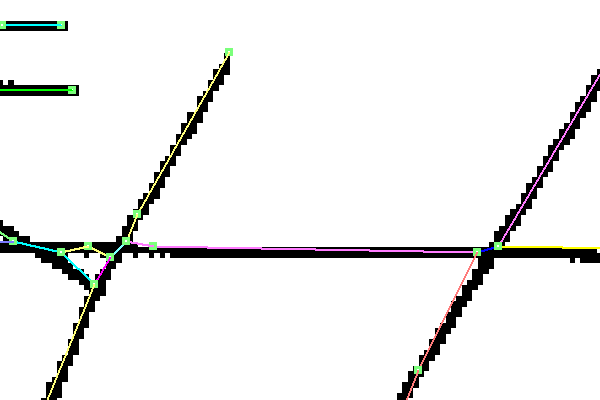
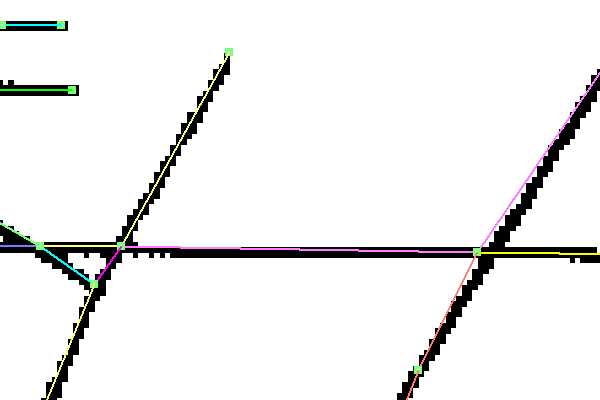
Intersection coordinate correction aligns segments at three-way, T-shaped, and four-way junctions to make them as straight as possible.
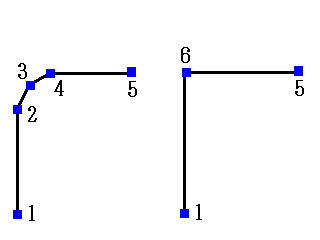
Angle snapping adjusts nearly horizontal or vertical segments to be as close as possible to horizontal or vertical.
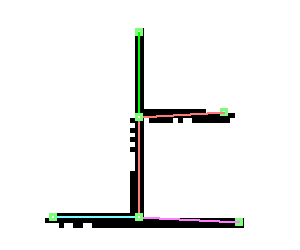
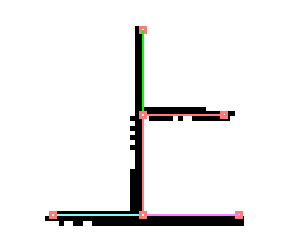
(3) Shape Recognition
Recognizes geometric shapes such as regular polygons (including circles) and distinctive features such as notches, using both raster and vector information.
Regular-polygon and circle recognition identifies approximately circular polygons and rearranges their vertices into a regular polygon.
A recognized “circle” is represented as a many-sided regular polygon, such as a regular 36-gon. Because each edge stores bulge information, the edges can also be converted into arcs to represent a circle.


(4) Approximation
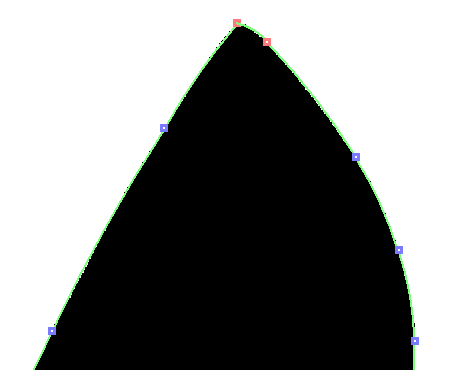
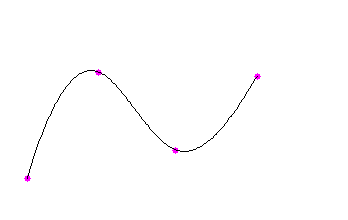
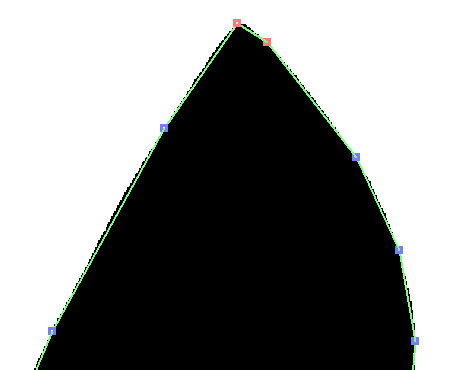
Converted point sequences can be approximated with arcs, splines, or line segments, depending on the application.
For circle approximation, a line-segment approximation produces a 36-sided polygon, whereas an arc approximation represents each edge as an arc.
Spline approximation, when sharp angles are present,
(5) Other Functions
Various additional functions related to raster-to-vector conversion are included.
• Save DXF Files
Converted vector data can be saved in DXF file format.
• Skew Detection
Detects image skew for use in correction and other processing.
• Separation of Area and Line Shapes
Separates filled-area shapes from line-based shapes in an input image so that each can be processed appropriately.
(6) Source Code
Conversion functionality is offered free of charge through the web application, but the C++ library source code is commercial.
The C++ library has no dependencies on libraries such as OpenCV.
Includes Visual Studio 2022/2026 project files for Windows (also compiles and links with older versions, VS 2008–2019).
Includes complete CMake (CMakeLists.txt) support for Linux.
To purchase, use our Shopify store or contact us directly.
The following materials are included in addition to the library source code:
• C++ Class Library Reference Manual
Provided as HTML files.
• C++ Dynamic-Link Library Reference Manual
Provided as HTML files.
• Python Class Library Source Code and Desktop Application
Includes docstring comments, allowing API help to appear on hover in IDEs such as Visual Studio Code.
The main APIs are covered, though not every API. Full API support can be added because the source code is provided.
• Web Application Deployment Guide for Google Cloud Run in Preparation (free release planned by the end of 2026)
Includes source code using the Python Flask framework.
Ideal for small applications, with straightforward deployment, few issues, and low operating costs.
Provides prompts for generating deployment instructions with generative AI.
In our experience, every issue was resolved on the first attempt by consulting generative AI with screenshots and a description of the problem.
After deploying to Google Cloud Run, we also deployed and verified the same source code on Microsoft Azure App Service and Amazon ECS Express Mode.
• Doxygen-Compatible Headers for the Dynamic-Link Library in Preparation (free release planned by the end of 2026)
Enables documentation to be viewed on hover in IDEs such as Visual Studio.
Can also be used for Linux development.