
Turning Windows Libraries into Web Applications
Make Your Software Assets (Software and Data) Available Worldwide on Any Device (Smartphones, Tablets, and PCs)
Turning existing Windows libraries into web applications dramatically expands the environments in which their functions can be used.They can be accessed from Linux, macOS, and ChromeOS, as well as from browsers on smartphones and tablets.
By exposing the functions through an API, applications written in virtually any language on any operating system can call them.
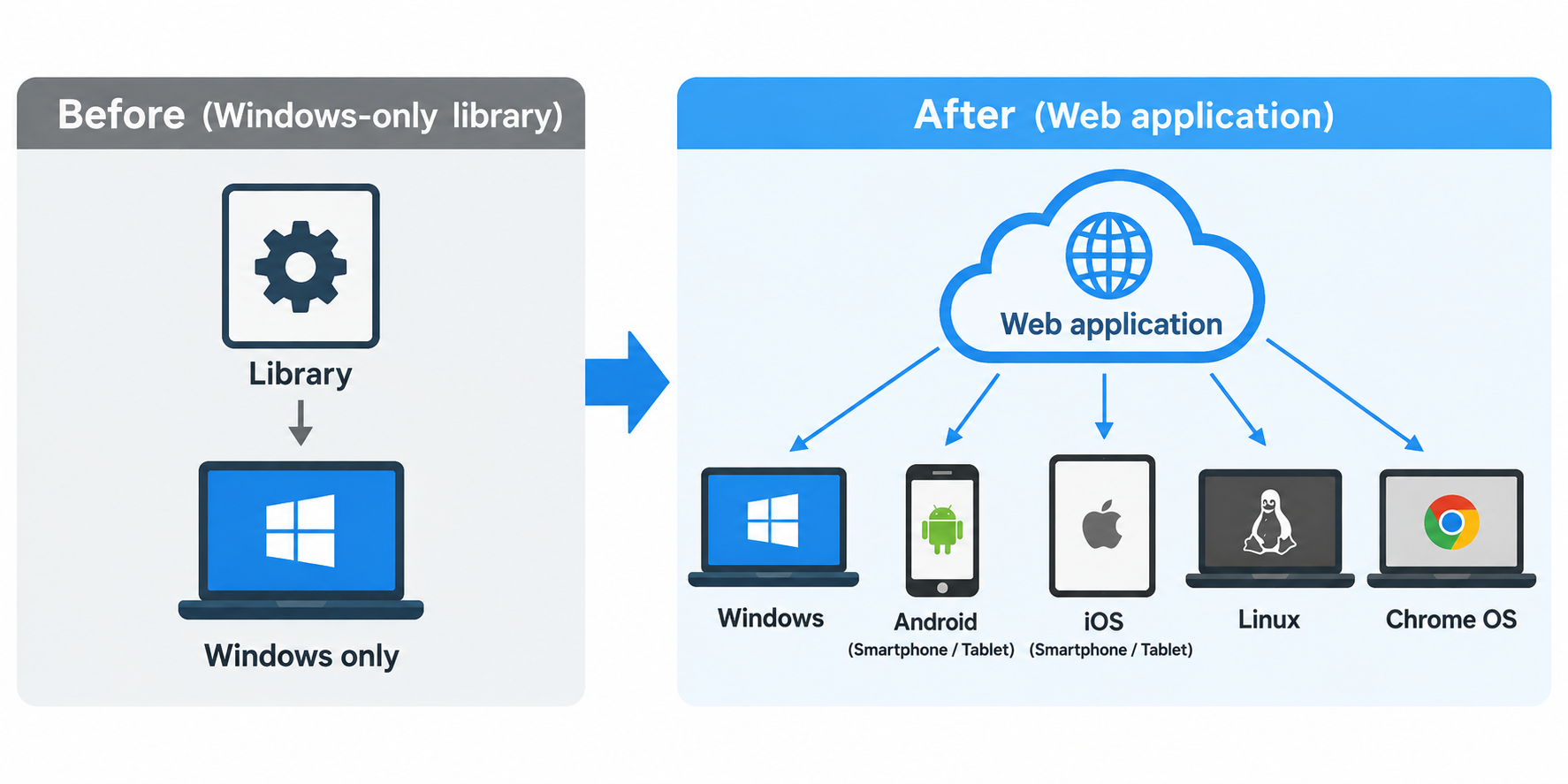
Conversion into a Web Application
We use Flask, a Python framework, to develop our web applications.
Flask may not be as immediately approachable to a broad audience as PHP's Laravel or JavaScript's React/Next.js, but
we consider it less likely to be targeted than PHP and a robust framework even when attacks occur.
| Resistance to Malicious Attacks | |||
|---|---|---|---|
| Vulnerable <---------- -------------> Robust | |||
| PHP | JavaScript | Python/Ruby/C# | Go |
| Ease of Web Application Development | |||
| Easy <---------- -------------> Difficult | |||
| PHP | JavaScript | Python/Ruby/C# | Go |
PHP is an affordable, accessible vehicle, but its inner workings are exposed, making it easy to damage when attacked.
The following describes the steps involved in publishing a Windows-only library as a web application.
Deploying to the three major cloud platforms—Google Cloud Run, Microsoft Azure App Service, and Amazon ECS Express Mode—took approximately one month of actual work.
With concentrated effort, I believe it could be done in about two weeks. Of course, in 2026, this assumes the use of generative AI.
With generative AI, you can achieve this without:
- Cloud certifications
- Tutorial articles (such as Qiita or Zenn), books, or official manuals
- Previous experience or experienced specialists
Roadmap to Deployment
- If using a 32-bit version, migrate to64-bit Some cloud platforms can host 32-bit web applications, but there are many restrictions. Migrate to 64-bit.
- LinuxPorting Although Windows-only libraries can be deployed as web applications, doing so can make deployment and maintenance more difficult, reduce responsiveness, and increase operating costs. Port to Linux whenever possible.
- No dependency on Windows APIs. Using only the standard C/C++ libraries generally presents no problem.
- Few dependencies on third-party libraries (such as OpenCV or libjpeg). If Linux versions of those libraries are available, the dependencies can generally be handled. For example, image loading and simple image processing can be handled by Python's Pillow module, eliminating the need for OpenCV or libjpeg.
- Avoid types whose sizeof values differ between Windows and Linux. Types such as long, unsigned long, and wchar_t can differ in size. Replace them with explicitly sized types such as int32_t or int64_t where appropriate.
- Create a shared library (dynamic-link library) callable from other languages
- Cross-Platform Development with Visual Studio 2022/2026
- Choose a Web Application Framework
- Security, Protection Against Malicious Access, and Authentication
- Test Locally
- Specifications of the library's API functions and parameters
- Website design
- Form field names (text areas, checkboxes, and radio buttons)
- An approximate website layout described in text or ASCII art
- Deploy to Google Cloud Run
- Port to Microsoft Azure App Service or Amazon ECS Express Mode
Click for details
The following conditions should be considered when porting to Linux.If Windows API dependencies cannot be removed, consider deploying the Windows version while accounting for its higher operating costs.
If no Python module can replace a dependency and no Linux version is available, consider deploying the Windows version despite its operating-cost disadvantages.
Click for details
If the web application framework is written in C/C++, this may not be necessary.However, to call the library from Python, JavaScript, PHP, and other languages, it must be built as a shared library (a dynamic-link library on Windows) . Identify the functions to expose through the API, then ask generative AI to write wrapper functions for building a Windows DLL or Linux shared library. The wrapper source code can readily be shared between Windows and Linux, so specify “compatible with both Windows and Linux” in the prompt.
Click for details
Use WSL (Windows Subsystem for Linux) to run a Linux environment directly on Windows.Generate a CMakeLists.txt file in Visual Studio and build a Linux shared library (.so), the counterpart of a Windows DLL (.dll). Generative AI tools such as ChatGPT can guide you through the process and help troubleshoot problems.
Click for details
It is also possible to develop without a framework. This may make the application less likely to be targeted, but development takes longer and costs more.Many frameworks are available. Compare their characteristics (generative AI can quickly create a comparison table) and choose one that suits your needs.
We use Flask for Python.
Other Python frameworks include Django and Streamlit.
Many frameworks are also available for C++, Java, JavaScript, C#, Go, Rust, Ruby, PHP, and other languages.
Generative AI can explain how to use them without prior experience or extensive documentation, although its output still requires review. Choose a framework in a language you know.
Click for details
Cloud providers offer paid protection against DDoS attacks.Web application frameworks can also implement rate limits for requests from the same IP address and checks on uploaded file sizes.
Free applications do not necessarily require authentication.
For paid applications, authentication and usage metering can be implemented through framework features or additional cloud services.
Frameworks can also lock accounts after repeated incorrect password attempts.
To protect users, uploaded data should preferably be deleted after processing.
Ensure uploaded data is deleted even if server-side processing fails.
Validate parameters and other input values on the server even if they have already been checked on the client.
Requests can be sent directly using commands such as curl rather than through a browser page such as index.html, so server-side validation is essential.
Click for details
Although the goal is deployment to a commercial cloud, functionality can first be tested on a single PC.Ask generative AI to produce a step-by-step guide for local testing using a prompt that includes the following information:
When an issue occurs, describe it to generative AI using text or screenshots. In my experience, the cause can usually be identified and corrected in one exchange, or at most three.
Click for details
For the initial deployment target, I recommend Google Cloud Run above all others.The reason is that deployment is substantially easier than with other cloud services.
If local testing succeeds, deployment to Google Cloud Run can take less than a day.
Successful deployment to Google Cloud Run also provides a strong basis for deploying to Microsoft Azure App Service or Amazon ECS Express Mode.
Click for details
If deployment difficulty on Google Cloud Run is rated 1, I would rate Microsoft Azure App Service 3 and Amazon ECS Express Mode 10.For small web applications with up to tens of thousands of users, targeting Google Cloud Run alone may be sufficient.
For medium-sized web applications with up to hundreds of thousands of users, consider Microsoft Azure App Service or Amazon ECS Express Mode as the eventual deployment target.
Even for medium-sized applications, I recommend using Google Cloud Run for testing before migrating to Azure or AWS (Amazon).
Note: Initially, we planned to use AWS App Runner, an Amazon cloud service with a relatively straightforward deployment process, but it stopped accepting new customers at the end of April 2026.
Amazon ECS Express Mode is offered as an alternative, but its deployment process is considerably more complex.